Bill every room with one button
Read meters on your phone, bill every room with one button, then send the bills to the tenants who've connected LINE — slips come back in the same chat.
Owners sign up themselves · First 10 rooms free, forever · No card needed
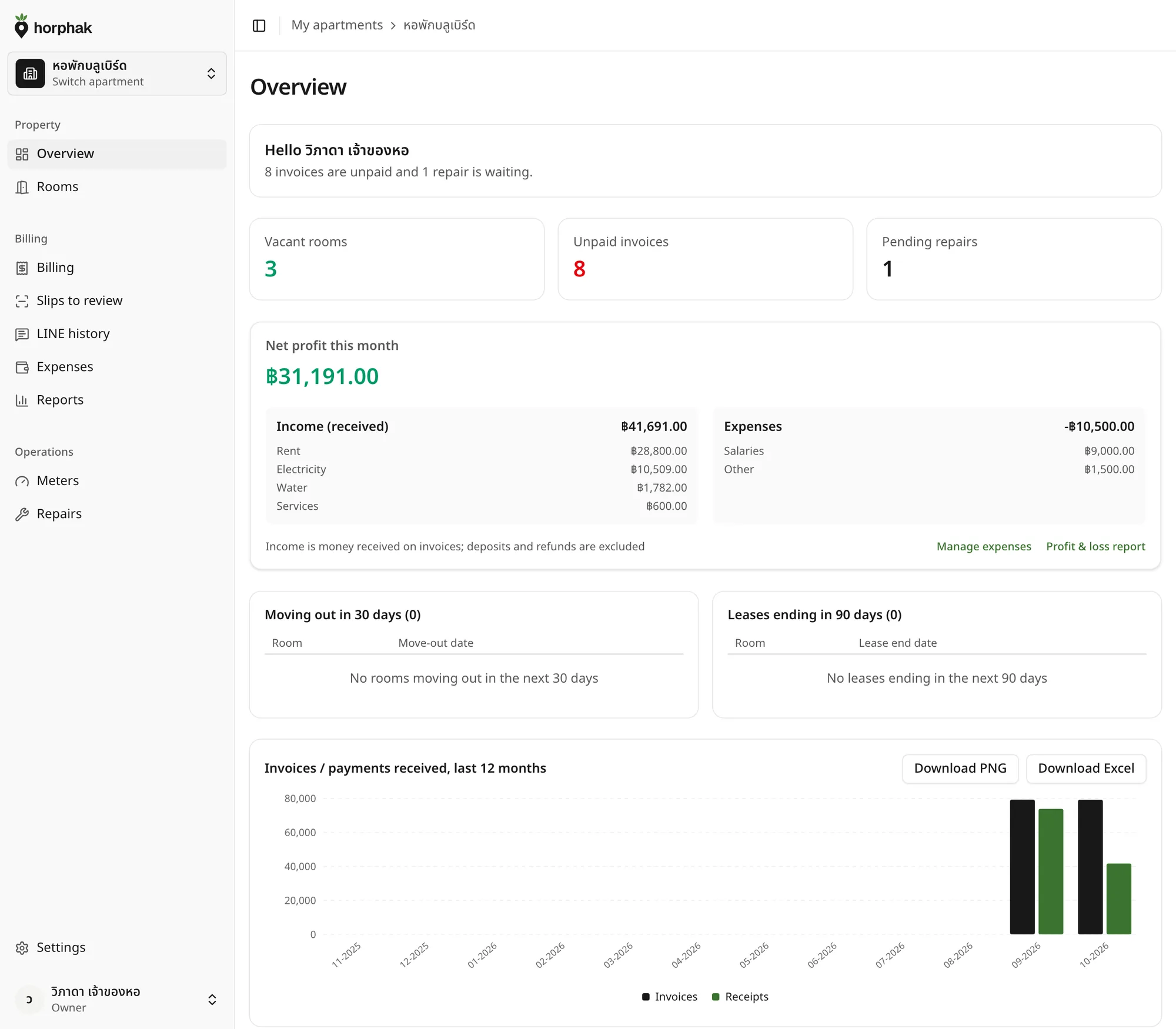
Everything your dorm does each month, in one place
The old way
Month-end means a desk full of dorm paperwork
Meter readings on paper
Walk room to room, then type it all into Excel again. One wrong number and you're hunting through the whole sheet.
Bills, one room at a time
Work out water, power, service charges and late fees, then send each tenant their bill. There goes the day.
Chasing slips through chats
Slips get lost among other messages, and you open the bank app to match every one by hand.
Features
Set up your rooms once; then each month is just this
Built around your dorm's own LINE: a tenant can reply with the slip in that same chat, have it checked against the bank, and get the receipt back there. Rooms that don't use LINE can still be printed as a bill with the same QR.
Every room on one page
Vacant and overdue at a glance. Group by building or floor, and move over from Excel in one go.
Read meters on your phone, with photos
Last month's readings are filled in; type this month's and snap the dial. Water and power follow your dorm's rates.
One button, a bill for every room
Rent, water, power, service charges and late fees, with a PDF and a PromptPay QR. Rooms that don't use LINE can print the same bill with its QR.
Tenants register themselves in LINE
A tenant scans your dorm's QR and enters their room and the phone on the lease; bills can then land in that chat. No SMS.
Slip check: amount and receiver
The app can read a tenant's slip and match the amount to the bill and the receiver to your account: a match sends the receipt back in the chat, anything else is set aside for you.
Your net profit at every month-end
Record costs, repairs included, and they're taken off your income. Export to Excel for your accountant.
In your tenant's LINE
The bill reaches the chat; the slip comes back there
Tenants open the bill, scan the PromptPay QR, pay straight into your dorm's own account and can send the slip back in that same chat. Horphak never receives or holds rent for you.
- Register once with room number + phone
- Monthly bills with a PromptPay QR and a PDF
- Slip passes, receipt goes back in the chat
- Past bills and repair requests from the LINE menu
Get started
Up and running in three steps
- 1
Sign up and set up your dorm
Owners sign up themselves, no waiting for anyone to open an account. Add rooms or import them from Excel, then set water and power rates, service charges and PromptPay.
- 2
Connect your dorm's LINE OA
Tenants scan your dorm's QR and register with their room number and the phone on the lease.
- 3
Each month-end: read, bill, send
Read meters on your phone, bill the whole building with one button, send to LINE, and let the app help check the slips that come back.
Pricing
Pay per room, no plans to choose
Every dorm gets every feature. You only pay for rooms beyond the first 10.
First 10 rooms
฿0forever
Free for good, every feature. A dorm of up to 10 rooms pays nothing.
Start freeMonthly
฿5/room/month
Only rooms 11 and up; the first 10 stay free
Start free- Best value
Yearly
฿50/room/year
Pay yearly, get 2 months free; the first 10 rooms stay free
Start free
Every dorm gets every feature
- Bills sent to LINE
- PromptPay QR and PDF bills
- Meter readings with photos
- Slip checks
- Profit reports, Excel export
Prices include VAT
Work out your dorm's price
Count every room, vacant or occupied
- 10 free rooms + 42 paid rooms
- Prices include VAT
Pay monthly
฿210 / month
Averages ฿4.04 per room per month
Pay yearly2 months free
฿2,100 / year
Save ฿420 a year
Sign up yourself, no sales call. Add or remove rooms any time.
FAQ
Questions dorm owners ask
Does someone need to create my account?
No. Owners sign up themselves on the sign-up page and can start setting up their dorm right away.
How long does billing the whole building take?
One button bills every room with a PromptPay QR — no need to do each one by hand.
Does every tenant need LINE?
No. Tenants who connect LINE can open their bill straight from the chat; for rooms that don't use LINE, you can print that room's bill yourself as a PDF with the same QR.
Does Horphak collect rent for me?
No. Tenants pay straight into your dorm's own bank or PromptPay account; Horphak only shows the QR on the bill and helps check slips. A slip check is an aid, so also check what actually reached your account.
How do I print a bill?
Print straight from the invoice page: a one-page PDF with that bill's PromptPay QR.
How is pricing worked out?
Pay per room. The first 10 rooms are free forever; every room beyond that is ฿5 a room a month. No plans to choose.
Can I move data in from Excel?
Yes. Import your rooms and tenants from Excel in one go, with a preview before anything is saved.
More questions? The terms of use and privacy policy are linked at the bottom of the page.
Ready to start?
Every bill, straight to each tenant's LINEstarting this month
First 10 rooms free, forever · No card needed · Move over from Excel